
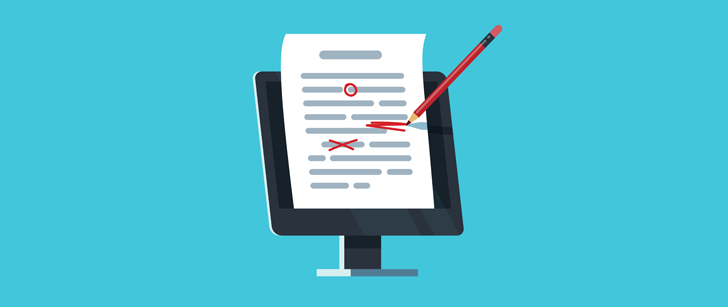
Proofreading is a major step that sometimes gets glossed over when creating email campaigns. Not only is it important to iron out any spelling and grammar errors, you can often make your content more powerful when proofing as well.
It can be challenging to force yourself to sit down and scour every detail of your emails. Especially if you wrote them yourself.
Don’t worry. Here are 6 email proofreading tips that will make checking and improving your campaigns a breeze.
6 Email Proofreading Tips to Polish Your Campaigns
1 – Make Someone Else Do It
We’re not advocating laziness here. Having someone else check over your work is one of the easiest and best ways to catch errors you might totally miss on your own.
That’s because you’re used to your own writing. If you tend to make a particular grammatical error, you might well just not notice it even if you’re proofreading as carefully as you can. Other people won’t, though.
Next time you’re working on a campaign, send a proof to a colleague and ask them to check it for anything you should change.
2 – Read It Out Loud
If you’re in a shared office space, you might want to head into a spare room for this one. Reading your email out loud is a great method for catching issues in your language. If a sentence is free of spelling and grammar errors, but is kind of clunky, you probably won’t catch that when you’re hunting for actual errors.
Reading it out loud, however, you’ll immediately notice when you read out something that doesn’t sound like something you’d actually say.
3 – Proof in Stages
First of all, do a careful pass checking for any spelling or formatting errors. Do you have a randomly-bolded period in there? Accidentally double-spaced something, maybe? Egregious typos?
Once you’re certain your email is free of that sort of problem, proof it again. This time, don’t look for spelling/grammar/formatting problems. Check for repetition. Do you use the same phrase/term too much? In general, try not to repeat yourself. You’ve got a finite amount of time before your contact’s attention span runs out. Don’t bore them!
Then proof it for flow and impact. This is where reading aloud comes in extremely useful, but if you can’t do that, that’s okay. Make sure you don’t have anything unnecessary in there.
Think of it this way: every sentence exhausts a bit of the reader’s attention. You need to convince them to click before they run out of attention to give.
Does that amusing anecdote really help push them to click your CTA? If so, great. Leave it in. If you’re not sure, though, axe it.
Even better – send one campaign with it and one without it, and see which one performs better.
4 – Proof Backwards
Try reading your email from end to beginning. Yes, seriously. It sounds tedious, but it’s actually a very valuable and effective way to check your work.
It’ll pull you out of the narrative you’re establishing and force you to focus on the content sentence by sentence. You’ll probably spot places you can clarify or simplify things, as well as words and phrases you overuse.
5 – Check Every First Word
Go through and read only the first word of each sentence.
Sentences that all begin with the same word get boring quickly. Switch up your syntax and you’ll find your writing becomes a lot more dynamic and engaging, This is something you can check and correct very rapidly, too.
6 – Proof Outside Your Editor
It’s tempting to finish writing your email, then just proof it right there in the editor. While convenient, it’s not actually going to help you much.
Send yourself a proof and read it in your inbox. Then read it on your phone. If you’ve got a tablet, check it there too. Seeing the email in context, in your inbox, puts you in a different mindset than seeing it inside your authoring tool.
You could also print it off and read it on paper. While not the most environmentally-friendly proofing method, it’s helpful to take it totally off-screen. When was the last time you read a document that wasn’t on a screen?
Plus, you can grab your red pen and highlighters and quickly mark up the paper with things to change, and little notes.